
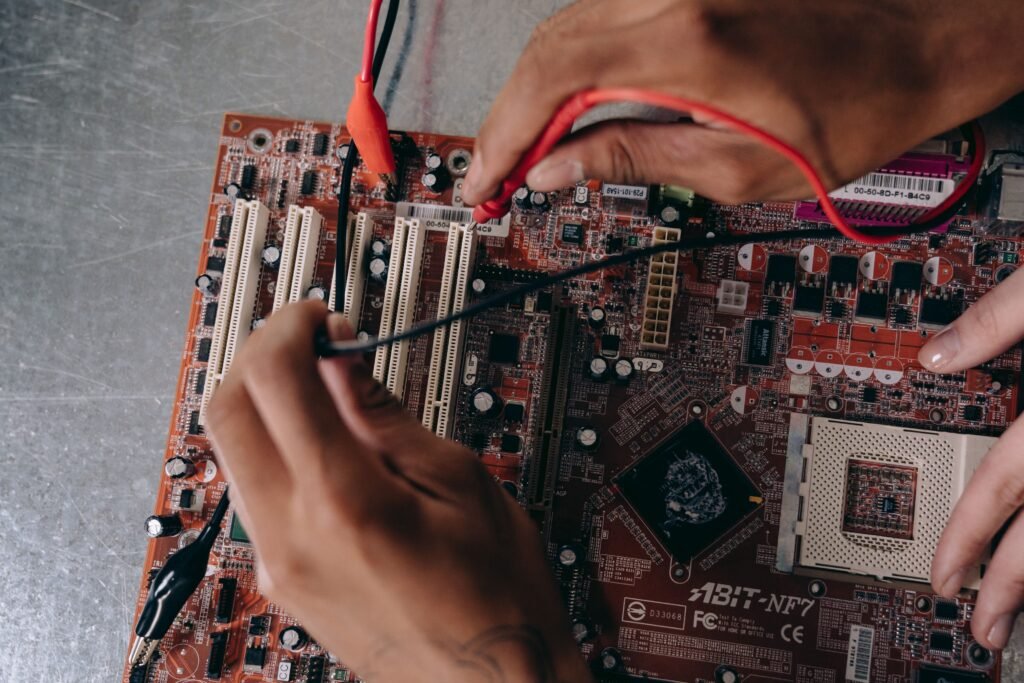
When a board is returned from the manufacturing facility, it looks flawless. Even after every trace has been routed and every component has been meticulously soldered into place, it simply won’t boot up. For anyone building connected devices, this is a typical and terrifying moment.
That type of failure is rarely solely caused by hardware. It resides in the space between software and silicon, which is precisely what firmware integration is intended to fill. Teams who treat firmware as a simple add-on to bolt on after the hardware is finished sometimes find themselves debugging blind since a board without functional drivers provides almost no clue of what is actually wrong. A product’s launch date may be postponed by many months if appropriate integration is overlooked as developers work to address intermittent crashes that only appear after hours of usage. If done properly, every layer above—from drivers to the app a customer taps on their phone may build upon an already effective foundation.
This tutorial describes the real process of firmware integration, step-by-step, how choices impact later stages, how security updates fit in, and what typically goes wrong when a team speeds up the process.
Why Firmware Integration Is a Sequence, Not a Single Task
Firmware integration is a complex process. It is a sequence of steps, each of which shows that a specific system component works before the next step expands on it. Most projects fail because they ignore this structure, which is the whole point.
It doesn’t save time to go on to application logic before the underlying drivers are stable; instead, it simply pushes the same errors farther down the line, where they are much more difficult to find. A flaw that appears to be a feature issue may actually be a driver problem or even a board wiring error, and it takes longer to uncover if there are more layers on top of it. A firmware team must comprehend the hardware target, its timing limitations, and its communication interfaces before developing any meaningful code since once decisions are made, they are costly to undo. The actual order of an integration is reflected in the steps listed below.
Stage 1: Board Bring-Up and Hardware Verification
Before anything else is permitted to operate, the first serious test a new board must pass is called “bring-up,” which starts by verifying the basics, such as power rails, clock signals, and the boot process. At this point, a single direct question is answered. Is something hooked, powered, or clocked improperly, or does the silicon function as the schematic indicated?
This is practical work. Engineers doing bring-up often need to manually modify a board by adding a jumper wire or replacing a component in order to test a patch before it is integrated into the next board iteration. The modest but vital objective is to have a dependable platform by the end of this phase where each critical chip can be reached and confirmed to be alive, even if no real feature is yet functional. Nothing above this layer may be trusted unless the hardware below it is verified.
Stage 2: Board Support Package and Driver Development
Drivers allow the operating system or application code to interact with each chip on the board once it has demonstrated that it is alive. The fundamental drivers for essential buses, such as UART, I2C, and SPI, are the first to be written. These drivers verify that the CPU can consistently exchange data with all major components.
This driver work is wrapped with board-specific setup procedures in a board support package, or BSP. In order to ensure a smooth operating system startup, it manages peripheral initialization and memory configuration. Here, separating this hardware layer from the application code via a clear abstraction layer is a very beneficial architectural choice. If you do that effectively, a future hardware update won’t require rewriting everything built on top, which is a frequent and preventable source of unnecessary labor.
Stage 3: Middleware and RTOS Integration
Middleware provides shared services that the product will need, like file systems, networking stacks, and security libraries, and stands between the application and the low-level drivers. This layer is operated on top of a real-time operating system in the majority of non-trivial embedded systems; the most popular options for managing task scheduling and exact timing are FreeRTOS, Zephyr, and ThreadX.
Compatibility issues also like to lurk here. A build that compiled flawlessly the day before can be silently broken by a difference between the versions of a driver, an SDK, and a third-party library, frequently with an error that doesn’t even hint at the true cause. One of the subtle disciplines that distinguishes successful projects from unsuccessful ones is keeping these versions purposefully in sync.
Stage 4: Application Layer and Business Logic
The real behavior of a product emerges at the application layer. These are the elements that a consumer directly observes and engages with. By the time a team gets to this point, the middleware, drivers, and hardware are all presumed to be stable, allowing developers to concentrate on logic rather than chasing gremlins at the hardware level.
Additionally, teams are most likely to rush into this stage too soon, which is the most frequent cause of a project stalling. Bugs that appear as application errors but are actually caused by a flaky driver or a poorly wired board arise when the underlying layers are not fully proven. Debugging the incorrect layer takes hours. That trap is avoided by adhering to the sequence.
A Foundational Choice: Bare-Metal Versus RTOS
One choice, whether to run bare-metal firmware or build atop a real-time operating system, should be addressed very early on since it influences nearly all subsequent integration decisions. It is a common and expensive error to choose something out of habit rather than analysis.
There is no operating system running beneath bare-metal firmware. This allows a device to have extremely precise timing control and a smaller memory footprint, which is ideal for basic, single-purpose electronics. When a device must simultaneously manage multiple tasks, such as reading sensors, controlling a wireless connection, and updating a display, all within constrained timing windows, an RTOS justifies its increased complexity. In this case, memory budget is also important because a microcontroller with limited RAM might not have enough space for an entire RTOS in addition to the application code.
| Factor | Bare-Metal | RTOS-Based |
| Best for | Simple, single-purpose devices | Devices juggling multiple tasks |
| Timing control | Very tight, direct | Managed by the scheduler |
| Memory footprint | Smaller | Larger |
| Development complexity | Lower for simple jobs | Higher, but scales better |
| Examples | A basic sensor node | A connected multi-function device |
Drivers, middleware, and application code are all organized differently depending on whatever path the team commits to, so making the wrong decision early on is costly to reverse. Rather than using whatever the team previously used, it is worthwhile to make a thoughtful decision based on the device’s actual job load and memory budget.
Building In Secure Boot and Over-the-Air Updates
Instead of being the norm, firmware that ships once and never changes is now the exception. Because of this change, secure update design is now integrated from the beginning rather than added as an afterthought after the product is released.
The basis is a secure bootloader. Before starting the main application, it checks its integrity and won’t run anything that doesn’t pass a cryptographic check. Rollback protection, which uses version counters kept in secure memory to prevent an attacker from forcing a device back to an earlier, susceptible build, is equally important. A/B partitioning, often known as dual-partition storage, allows a device to immediately revert to its most recent firmware in the event that a new update fails midway, preventing a malfunctioning update from completely bricking the device.
Several components are typically brought together by a strong update pipeline:
Before being made public, each firmware image is cryptographically signed.
Transport between the server and the device is authenticated and encrypted.
A bootloader that doesn’t update via the same channel as the primary application.
A phased distribution to a limited number of devices before expanding to the entire fleet.
Why Regulation Now Makes This Mandatory
In the European market, this is becoming a legal necessity rather than merely a good practice. Manufacturers of items containing digital components are required by the EU Cyber Resilience Act, which went into effect in December 2024, to provide security upgrades within a defined support period, which is set at least five years or, if shorter, the product’s anticipated lifetime. All of its responsibilities begin on December 11, 2027.
Practically speaking, a signed, dependable update system is a need for selling into the EU because a device that cannot get secure updates cannot fulfill that commitment. Additionally, a software bill of materials that lists every firmware component and secure-by-design engineering are mandated by the legislation. Designing the update path from day one is now the only sensible strategy for any team building connected products with European clients.
Testing and Validating the Whole Firmware Stack
Validation must occur at every layer rather than just the very end since firmware that passes a fast bench test may nevertheless perform poorly in the field. Testing each layer separately identifies issues before they worsen since each layer has unique failure modes.
Driver-level testing should verify that every peripheral functions in real-world scenarios rather than just the perfect configuration on an engineer’s spotless desk. Testing for over-the-air updates requires extra care because a clean lab test typically cannot replicate real-world deployment issues, including missed packets, power outages during updates, and weak-signal devices. The memory leaks and temporal drift that short runs never detect are caught by long-duration testing, which is conducted over days as opposed to hours. Lastly, integration issues that are typically missed by lab testing alone are brought to light by a field pilot using a small number of actual units that are deployed prior to full production.
Common Integration Failures and Why They Surface Late
Firmware projects frequently contain certain errors, nearly all of which result from omitting a crucial step in order to save time. The unfortunate thing is that these flaws typically remain undetectable until after a product has been released.
writing application code prior to the complete validation of the underlying drivers.
selecting an RTOS without first determining whether the memory budget will allow it.
OTA updates should be handled as a post-launch function rather than a design input.
allowing middleware and driver versions to diverge.
avoiding long-term and outdoor testing in favor of lab-only examinations.
At the time, each of these seems like a tiny, sensible shortcut. The problem is that the defects they produce usually don’t show up until actual users start utilizing the product, at which point they are significantly more costly and harmful to remedy than they would have been throughout development.
Working With a Firmware Integration Partner
Not every hardware team has the internal bandwidth to handle middleware, secure update design, driver development, and bring-up simultaneously. In order to take a board from its initial bring-up through driver development and into a safe, update-ready application layer, a dedicated firmware integration partner must earn a spot.
Hardware, electronics, and low-level systems expertise are brought together in a single team by companies that specialize in this type of layered integration work, such as Radiocord Technologies. This combination is important since bring-up issues rarely respect a clear boundary between the code and the electronics, and a team that is proficient in both can identify a failure that would be difficult for a pure-hardware or pure-software team to detect. Since drivers and update pipelines require continuous maintenance as new firmware and hardware versions are released over the course of a product’s life, the strongest relationships also continue to be active after launch.
Frequently Asked Questions
What is firmware integration?
The sequential process of integrating hardware and software on an embedded device is known as firmware integration. Every step of the process—from board bring-up to driver and middleware development to the application layer—proves itself before the subsequent builds on top.
What is board bring-up?
Engineers check that a new board’s power, clocks, and boot sequence function properly and that every crucial chip is reachable during the first step of integration, known as “bring-up.” Before any actual features are written, it verifies that the hardware is sound.
Should I use bare-metal firmware or an RTOS?
The function of the device determines this. An RTOS makes sense when a device needs to manage multiple jobs simultaneously, but bare-metal is best suited for straightforward, single-purpose hardware with strict timing and little memory. Make a decision based on the workload and memory budget rather than habit, as the decision affects everything that is built upon it.
Are over-the-air updates legally required?
In practical terms, yes, for goods sold within the European Union. The EU Cyber Resilience Act mandates security updates for a minimum of five years of support; full duties begin in December 2027. A dependable update mechanism is now a need for market access because a device that cannot get secure updates cannot fulfill that obligation.
Why do firmware bugs often appear so late?
Because in order to get to the application layer more quickly, teams often omit a fundamental step, like completely verifying drivers. While everything is constructed on top of it, the fundamental issue remains concealed until it manifests as a perplexing bug, frequently only after the product has been shipped.
The Bottom Line: Build in Order, and Build to Last
Firmware integration functions best when done in a methodical manner rather than haphazardly. Drivers verify that the hardware is operational, middleware connects the system, and bring-up verifies that the hardware is alive. Only then does application logic have a reliable location to operate. Every layer gains the confidence of the layer above it.
Products that continue to function long after they are shipped from the factory and remain compliant as laws like the EU Cyber Resilience Act come into full force are produced by teams who respect that order and incorporate secure, updateable firmware from the beginning rather than bolting it on later. A product’s long, stable life in the market is purchased by the extra attention given up front.
Pingback: System Architecture Design for Hardware Radiocord Technologies - Tech Journey Flow