
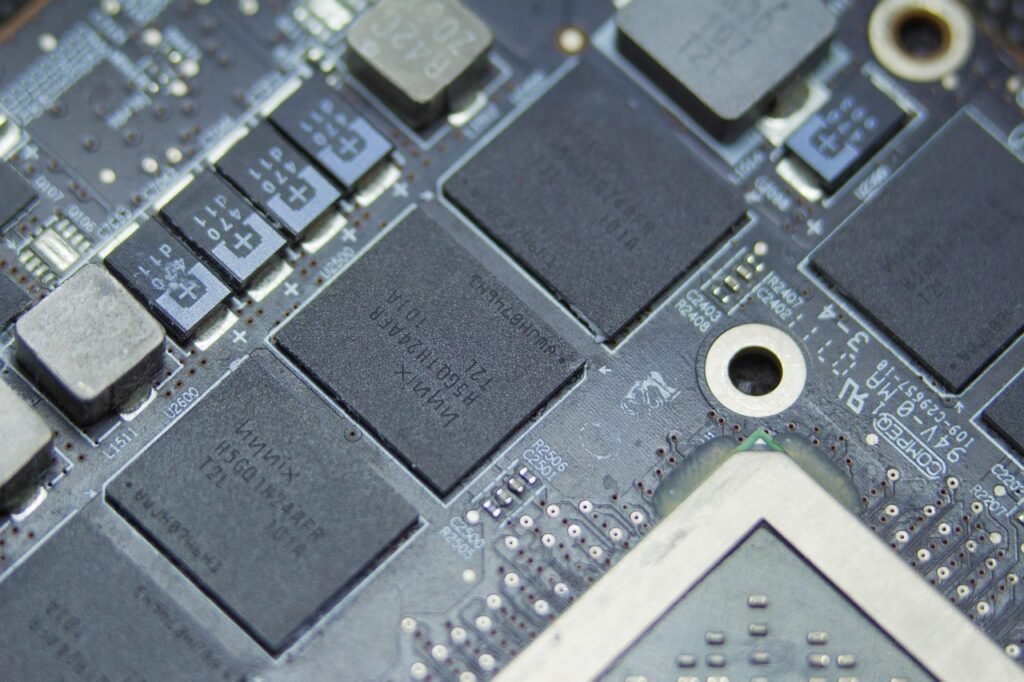
Day one, a team selects a wireless chip, designs the whole board around it, and three months later, on the manufacturing floor, finds out that the range is half a mile short. The firmware is generated at the time the board is designed. To solve the problem is to begin again. It’s one of the most expensive mistakes in hardware development, and it’s almost 100% preventable.
The error may almost always be linked to one underlying cause. The architecture was designed around the chip, not around the environment the hardware had to live in. Range, power budget, and delay are not mere technical footnotes. They select the proper protocol, the proper processor, and where the real computation happens. Get that judgment wrong early, and a team ends up re-designing a board mid-project, spending weeks of schedule and real money on re-spun printed circuit boards. Get it right and every choice after that, from the entryway to the cloud dashboard, clicks into place with significantly less friction.
This course takes you through the nitty-gritty of how strong hardware architecture is really built, layer by layer, so the design holds up when it leaves the lab. It talks about the four basic levels, picking protocols, how power and security affect everything, the proven patterns and the failures that kill early efforts.
The Four Layers of a Connected Hardware System
A connected hardware system is seldom one device. It is a suite of layers, each having a particular function, from sensing the real world to storing data in the cloud. Operational systems can be broadly categorized into four layers: sensor layer, connectivity layer, edge or gateway layer, and cloud layer.
It forces clear conclusions, and thinking in layers is vital because of that. Each layer has a function, has limits, and has methods of failing. Getting the architecture right involves building each layer for what the product will actually be running on, not what’s simplest to buy. The following sections describe each layer in turn.
The Sensor Layer: Turning the Physical World Into Data
The sensor layer is where the physical world gets converted into digital data – temperature, vibration, position, motion. All of the above depends on the quality of what this layer captures. This is the base of the complete system.
Choosing a sensor involves a trade-off between accuracy and power consumption, so a design team must establish the level of precision needed before selecting a device. A more accurate sensor than the application needs wastes battery and money. Here the accuracy is as important as the sample rate. Poll 10x more often than you need to, and all you are doing is wasting battery life and getting no actual gain in vital data.
One thing about this layer that teams tend to underestimate is the physical. So here is the mounting and enclosure design, because dust, moisture, and vibration can silently impact sensor accuracy long before anyone sees it in testing. A great sensor in a lousy house is still a bad house.
The Connectivity Layer: Choosing the Right Protocol
Most of the architecture problems are due to the choice of wireless protocol. Each has a different mix of range, power & data speed. There is no winner for all, but a proper fit for a certain event. There are essentially three types of possibilities.
Short-range protocols like Bluetooth and Zigbee are great for dense groups of devices that need to exchange tiny amounts of data often (picture a smart building packed with sensors). For deployments that cover a large area (e.g., farmland or a large industrial yard), where devices are positioned far apart, and battery life is far more important than speed, long-range low-power technologies such as LoRaWAN and NB-IoT are good options. If a device has spare power and needs a fast, reliable link and there is no local gateway around, LTE cellular connectivity is the answer.
The most obvious way to make this choice is to think about four factors, in this order:
Distance: distance of the devices to the nearest hub or gateway.
Power: length of time the device will operate before it needs to be recharged or a battery replaced.
Data volume: the amount of data created per hour or per day per device.
Latency: how much delay the app can withstand before it starts to seem slow
Here’s how those factors stack up for the major protocols:
| Protocol | Range | Power Use | Data Rate | Best Fit |
| Bluetooth (BLE) | Short (under ~100 m) | Very low | Moderate | Wearables, nearby sensors |
| Zigbee | Short, mesh-extendable | Low | Low | Dense smart-building sensors |
| LoRaWAN | Long (several km) | Very low | Very low | Spread-out rural or industrial sensors |
| NB-IoT | Long (cellular coverage) | Low | Low | Asset tracking with no local gateway |
| LTE cellular | Wide (cellular coverage) | Higher | High | Fast links where power is available |
The Edge and Gateway Layer: Where Local Processing Lives
Gateways are the link between the sensor network and the cloud, but their real role is a lot more than just forwarding messages. A real IoT gateway does application-aware work, transforming protocols like Zigbee or Modbus into something that is more cloud-friendly (e.g., MQTT). That translation is what distinguishes a real gateway from a simple router, which just forwards packets without understanding them.
The real benefit of this layer is processing data near to where it’s generated rather than sending every reading directly to the cloud. Processing data at the edge also reduces bandwidth and latency for any time you need anything to respond quickly, like shutting down a machine the instant a vibration sensor increases. Edge filtering also helps reduce the amount of data that needs to be stored and processed by a cloud platform, which decreases hosting cost and network traffic. Security is not just in the cloud; it’s in the here and now as well, because a compromised gateway may compromise any device underneath it.
The Cloud and Backend Layer: Storage, Visualization, and Fleet Control
This layer ( the cloud ) is where you store data long term, show it for users, and feed it into any machine learning model that needs a huge historical data set. It’s the element that most people think of when they think of a linked system, while the three layers below it conduct a lot of the real work.
This layer also includes fleet management, firmware updates, health monitoring of devices, and remote configuration of every unit in the field. For this, a backend is selected with a trade-off between managed platforms and custom-built infrastructure. Managed options get a product to market faster and do much of the heavy work, while custom builds allow more control over cost when a fleet grows into the thousands of devices. It is contingent upon how big the deployment is planned to be and how much engineering capacity the team has.
Why the Deployment Environment Drives Everything
The main driver of good hardware architecture isn’t the latest chip on the market. It’s an honest reading of the environment the device is actually going to live in. This is the principle that saves the expensive redesign in the middle of a project. It merits its own attention because so many teams skip it.
The protocol stack required for an outdoor agriculture sensor dispersed across acres of farmland is somewhat different from a smart office with hundreds of sensors in one building. All of these factors – temperature changes, humidity, and physical shock – impact the choice of components well before you even begin to talk about software design. Just as important is network availability: a rural facility with no dependable internet needs local edge processing that a well-connected office building may bypass altogether.
The rule is straightforward enough. The first thing is to match the architecture to your deployment environment, not locking down a particular chip or protocol. Teams who do this rarely have to rebuild later. Teams that start from the chip nearly always do.
Power Budget: The Quiet Decision-Maker
In fact, power budget silently determines more of a hardware architecture than practically any other single factor, for a battery-powered or solar-powered device. Ignore it till late in the design, and you will have to rework the design.
So the overall power drain of a gadget comes from three places: the sensor, the processor, and the radio. The radio consumes the most energy when transmitting, which is why the connectivity options and power budget are so tightly linked. The trick to smart power design is primarily about keeping that radio as quiet as it can be.
Two techniques do much of the heavy lifting. Sleep-mode design is important, as a device that wakes for transmission and then goes back to deep sleep can last years on a single battery. One very simple technique to increase battery life without losing valuable information is to use duty cycling, where a device transmits on a regular schedule rather than continuously. For outdoor installations, solar or other energy harvesting solutions can largely remove the concern of battery life, but add cost and design complexity that not all projects need.
Security Across Every Layer of the Stack
Security cannot be confined to a single layer. Any weak link anywhere in the chain from the sensor to the cloud dashboard can bring down the entire deployment; thus, it has to be a design input from the beginning, not a feature added on at the end.
Security at the device level begins with a hardware root of trust, where the encryption keys are fixed in a dedicated chip, rather than in software that an attacker may more easily alter. From there, encrypted transport matters at each hop, with protocols like TLS for cloud traffic and lighter-weight DTLS for restricted sensor connectivity. “Gateways should be scrutinized just as closely as cloud servers, because a single compromised gateway can expose every device connected to it at the same time. Finally, over-the-air update systems need certified firmware and rollback protection so a damaged or malicious update can’t brick an entire fleet of devices distributed across dozens of sites.
Common Architecture Patterns That Actually Work
Some architectural patterns keep recurring in working deployments because they make the same trade-offs in well-understood ways. Knowing them gives a team a good starting point rather than a blank sheet of paper.
Star topology: All devices talk directly to a central hub. It is easy to control, although it is restricted by the range of the hub.
Mesh topology: Devices pass data through each other, increasing range without adding more gateways.
Hub-and-spoke with edge compute: Local gateways aggregate data before forwarding to the cloud, saving bandwidth.
Hybrid cloud-edge: intensive analytics are done in the cloud, and time-critical choices are made locally on the device or gateway.
When choosing amongst them, it all comes down to the same environmental factors: distance, power, volume of data, and how quickly a decision needs to be made. A large rural deployment will tend toward mesh or long-range star, while a system that must react in milliseconds will tilt toward hybrid cloud-edge.
Testing and Validating the Architecture Before Production
The architecture looking good on paper is one thing, but it still needs to be tested in the actual world before it gets manufactured in large quantities. “The lab is where designs look good; the field is where they prove if they really are. This is how customers get to costly surprises without missing a beat.
Four types of testing catch the problems that count most. Range testing should happen in the actual deployment environment, not a pristine lab, because walls, machines, and weather all cut real-world range compared with open-air experiments. Power testing needs to be done over a long period, not just a short bench check, because the battery-drain problems don’t usually show up for days or weeks of typical operation. Equally important is load testing on the gateway and cloud levels, because a design that works OK with ten test devices can buckle under a thousand actual ones. Finally, a field pilot with a small batch of units, running for several weeks before full production, catches the flaws that lab testing nearly always overlooks.
The Most Common Early-Stage Architecture Mistakes
The same few problems seem to repeat themselves in early hardware projects, and almost all of them can be tracked back to skipping the environment-first approach mentioned above. The cheapest approach to avoid them is to know them in advance.
Pick a protocol before you really know your range requirements.
• Not considering the power budget until late in the planning phase.
Treating security as an afterthought, not a design input.
The cloud backend is built before the edge layer is finalized.
Depending only on laboratory validation and not doing field testing.
The cost of trapping them varies greatly, depending on time. Catch it early, and a mistake costs one design-review meeting. That mistake caught late can mean a product recall or a very expensive board respin. That gap is the whole reason for performing the rigorous architectural thinking up front.
Frequently Asked Questions
What are the main layers of an IoT hardware system?
Most connected systems have four: the sensor layer that collects physical data, the connectivity layer that wirelessly sends it, the edge or gateway layer that processes it locally, and the cloud layer that stores and visualizes it. They each have their own design constraints.
How do I choose the right wireless protocol?
Look at four things at once: the distance between the devices, how long they have to run on power, how much data they deliver, and how much latency the application can accept. Short-range demands: Bluetooth or Zigbee. Spread-out low-power needs: LoRaWAN or NB-IoT. Fast links with power availability: cellular.
What is the difference between an IoT gateway and a router?
A router just forwards data packets. An IoT gateway does application-aware work, translating between protocols like Zigbee or Modbus and cloud formats like MQTT, and often processing or filtering data locally before passing it on.
Why does power budget matter so much in hardware design?
Because it impacts almost every other decision, especially for battery or solar devices; the biggest power consumer is usually the radio when it is transmitting. Only sometimes transmitting ( duty cycling ) and going into a deep sleep state is what allows a gadget to last for years on a single battery.
What is the most common mistake in hardware architecture?
Selecting the chip or protocol without knowing the deployment environment. Good architecture is not supposed to require expensive re-designs in the middle of the project. Designing for the hardware instead of the real-world conditions requires those re-designs.
The Bottom Line: Architecture Is About Fit, Not Flash
Good hardware architecture is not about buying the most flashy processor or the latest protocol on the market. It’s about matching every layer, from the sensor to the cloud, to the real-time conditions the gadget will encounter once it’s out of the lab. Companies that are good at building connected systems, especially specialists like Radiocord Technologies, do it this way for a purpose. LoRaWAN, Zigbee, and cellular handle distinct range and power problems, and making the right choice up front is what saves you from a costly redesign down the line.
The lesson from all of this is to make the hard decisions early. A team that figures out its deployment environment, power budget, and security requirements before settling on any hardware will spend a lot less time fixing problems once the product ships, and a lot less money redoing boards that never had to fail in the first place.
Pingback: Hardware For AI Radiocord Technologies: What It Takes to Build a Device That Actually Thinks - Tech Journey Flow